
Keyword Tools - Keyword Density Tool
 Play 'Keyword Density Tool' video tutorial!
Most search engines place a large amount of importance on the actual text that is placed on a web page. As a result, the way that the text on a page is constructed plays an important role in determining the way engines index your site. When building a web site it is important to ensure that your pages contain as much relevant text as possible. Search engines gather keywords from your page contents, and rank your web page based on the keyword density. Keyword density is number of times a word or phrase is counted on a web page. The keywords can appear in the page title, links and headings, as well as text in the page body. Ideally the keyword density should be around 3% for your major keywords.
The Keyword Density Tool is available from the Keyword Tools menu.

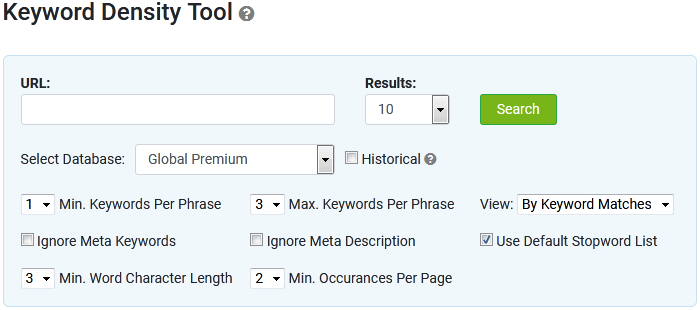
To start the analysis process, follow these steps:
- Enter a web page URL in the URL field. Note: The density tool searches only the web page specified, not the entire website.
- Select either 1 or 2 from the Minimum Keywords Per Phrase
- Select the number of Maximum Keywords Per Phrase, values are from 1 to 4
- Select the Minimum Word Character Length, values are 1 to 5
- Select the number of Minimum Occurrences Per Page, values are 1 to 5
- Select Ignore Meta Keywords if you wish to filter out Meta Keywords from the results.
- Select Ignore Meta Description if you wish to filter out Meta Description from the results.
- Select Use Default Stopword list if you wish to filter out stopwords.
- Select the View: option. Combined lists all keywords within one single column.
- Combined view lists all keywords within one single column.
- By Keyword Matches lists each column by the number of words in the phrase.
For example, 1st column will display 1 word phrases, 2nd column will include 2 word phrases and 3rd column, 3 word phrases.
- Select a database to retrieve search volumes from
- Check the Historical checkbox to show historical search volumes (optional)
- Select the number of results to return from the Results drop down menu
- Click the Search button
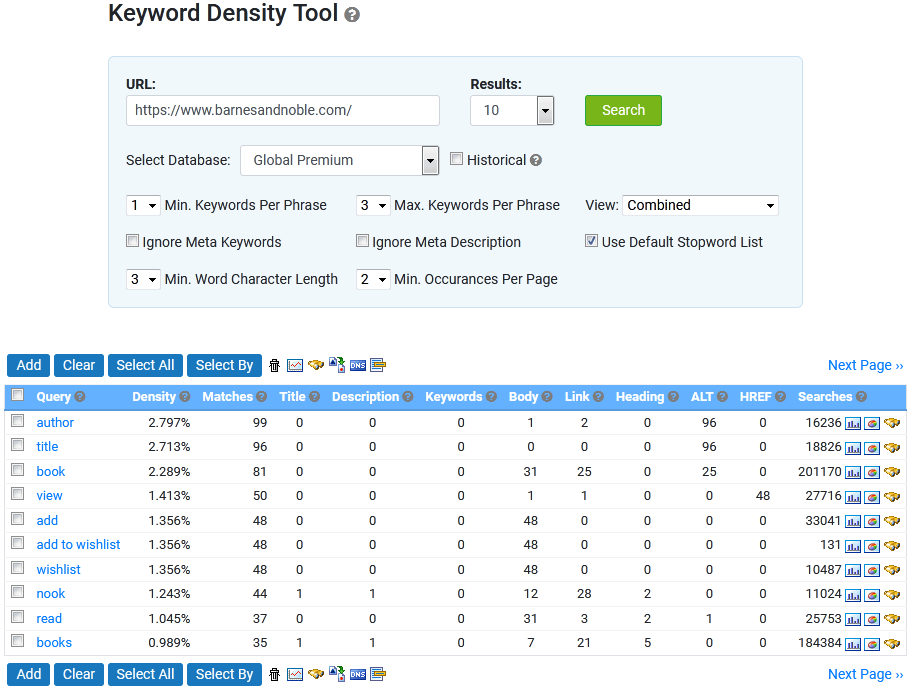
Combined view
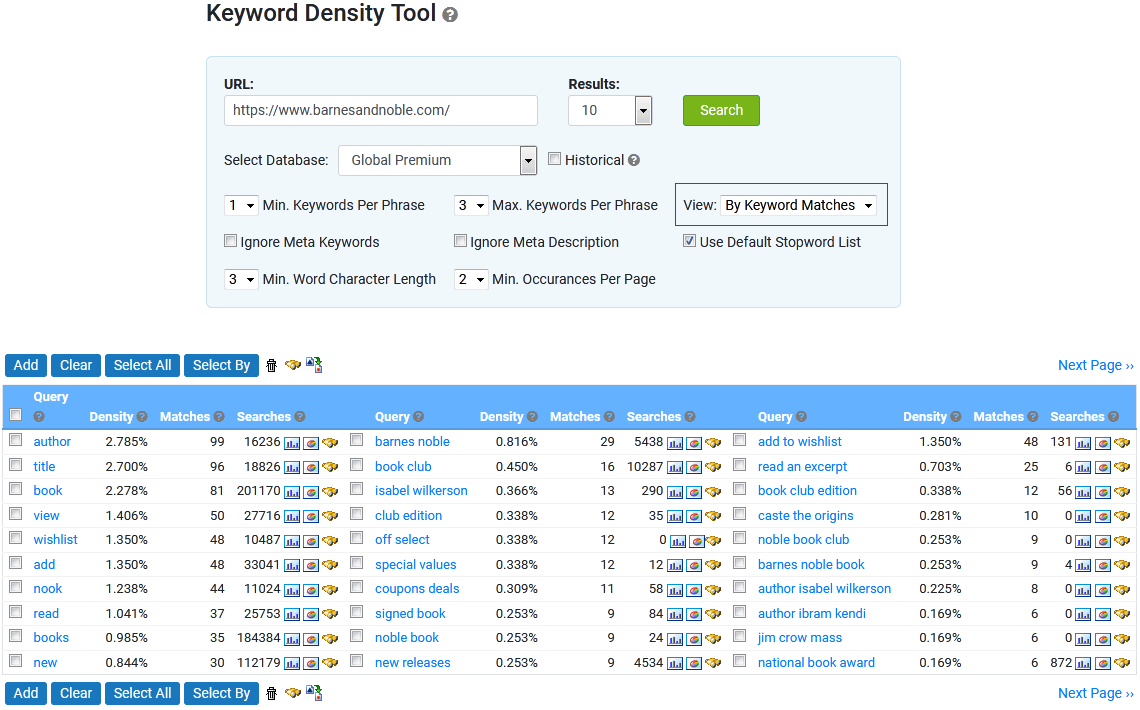
View by keyword matches
What do the columns mean?
Query:Search terms found in the keywords meta tag for the analyzed URL
Density:
The density of the keyword from the analyzed URL (shown as a percentage).
Matches:
Displays the number of times the search term was found on the web page outside of the Meta tags.
Title:
Number of times the search term appears in the title tag of the page.
Description:
Displays the number of times the search term appears in the meta description tag of the page.
Keywords:
Displays the number of times the search term appears in the keywords meta tag of the web page. Keywords are shown in black if they are found in the meta tags only.
Body:
The total number of times the search term appears between the <body> tags, excluding anything that is counted elsewhere.
Link:
The number of times the search term appears in link text. Eg. <a href="">here</a>
Heading:
The number of times the search term appears in heading tags. Eg. <h1>,<h2>,<h3>, etc.
ALT:
The number of times the search term appears in the alternative text for images. Eg. <img src="image.gif" alt="here">.
HREF:
The number of times the search term appears in the title or name attributes of a hyperlink tag. Eg. <a href="" title="here" name="or here" >a link</a>
Searches:
Displays keyword's search volume in our Global Premium database.
Graphs:
Trend graphs display seasonal data in weekly or monthly increments for the selected keyword.
Market Share Graph displays the search engine market share for the selected keyword.
< Projects | Keyword Reports >