
Analyzing Keywords
 Play 'Analyzing Keywords' video tutorial!
A keyword search returns a list of keywords sorted in descending order. Further analysis can be performed to help qualify keywords.
Keyword Analysis
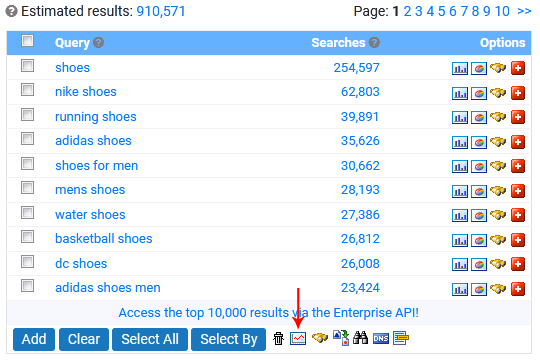
To display further information about the keywords, click the Analyze button (graph icon) underneath the results or to use your own keyword list, use the Advanced Analyze Tool.
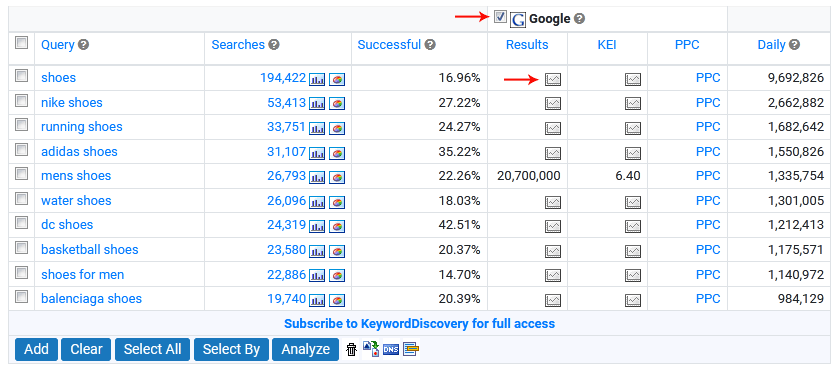
Results from Google are shown by default. To show data from additional search engines, tick the checkbox next to their name and click the Analyze button.
If the KEI/occurrence value for a keyword is cached (another user has fetched it in the last 90 days), Keyword Discovery will display the cached data immediately. A small graph image is shown for keywords with no cached results available.
Note: Cached results do not use analysis credits.
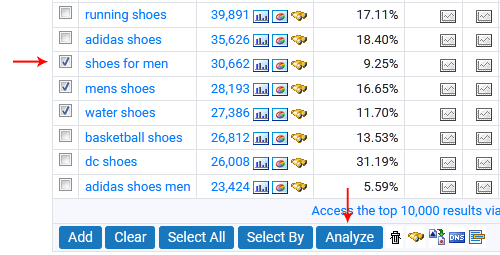
To retrieve the occurrences and KEI in real time, select the keywords you wish to analyze, then click the Analyze button to retrieve the results in real time. An analysis credit will be used for each keyword selected.
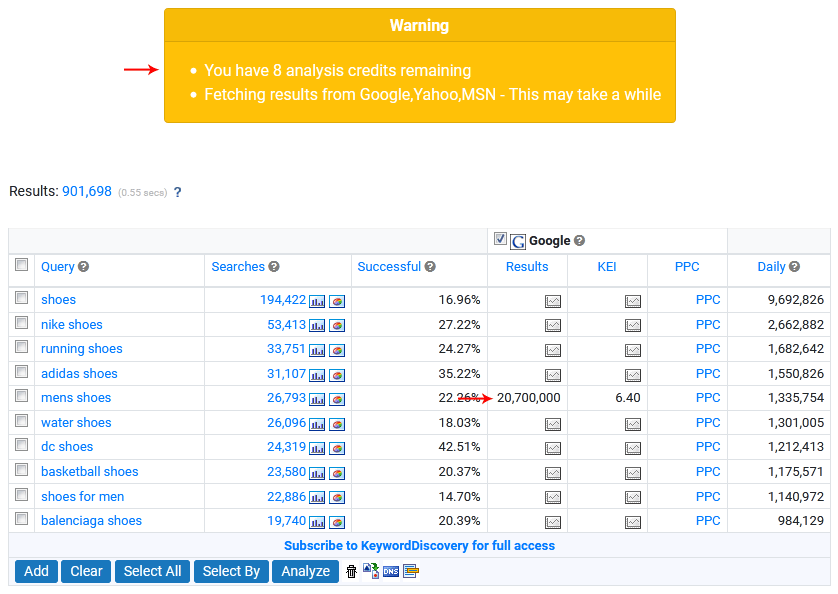
The occurrence/KEI columns will show the text 'working' while the data is being fetched, and will display the data once it has been retrieved.
Keyword Discovery will also display your remaining credits for the day.
Once you have used all your credits, you will no longer be able to fetch Occurrences & KEI for keywords until the next day. Your analysis credits will reset at midnight Australian EST (GMT +10).
The occurrence figures (an estimate of the number of pages in which each search term appears) are obtained from Google, Yahoo, MSN/Live/Bing and Ask. Each plan includes a different amount of analysis credits. You can check what each plan includes at the Subscription plans comparison page.
To view regional data such as Search Volumes, Search Engine Results, KEI figures and Predicted Daily scores, please select a regional keyword databases from the Select Region for Search Results drop-down menu.
What do these figures mean?
Query
This column shows the keyword results for your search. The results contain the exact keyword/phrase that was searched for.
See the Results Page manual page for more information.
Searches
This column contains the number of times that each phrase appears in the selected database. Search numbers should be used relative to other terms in the same database and not as an absolute figure. We do not extrapolate these numbers, they are exact counts we have recorded in our database from the users in our panel.
The search volumes are from the last 12 months for all databases.
See the Databases manual page for more information.
Successful Search
Shows the percent of people that did a search for the same keyword, actually found and clicked on a result returned by the search engines.
See the Successful Search manual page for more information.
Google Analyze Data
Result: An estimate of the number of web site pages that are indexed by Google for each search term.
KEI: KEI stands for Keyword Effectiveness Indicator based on the number of searches and Google results for each search term.
PPC: Click to see the current Google Bid Values for each search term.
Yahoo Analyze Data
Result: An estimate of the number of web site pages that are indexed by Yahoo for each search term.
KEI: KEI stands for Keyword Effectiveness Indicator based on the number of searches and Yahoo results for each search term.
PPC: Click to see the current Yahoo Bid Values for each search term.
MSN/Bing Analyze Data
Result: An estimate of the number of web site pages that are indexed by Bing for each search term.
KEI: KEI stands for Keyword Effectiveness Indicator based on the number of searches and Bing results for each search term.
Ask Analyze Data
Result: An estimate of the number of web site pages that are indexed by Ask for each search term.
KEI: KEI stands for Keyword Effectiveness Indicator based on the number of searches and Ask results for each search term.
See the KEI manual page for more information.
Predicted Daily Search Volume
Figures in this column provide a rough estimate of the total number of daily searches on the internet as a whole, for each given search term.
See the Predicted Daily manual page for more information.
< Databases | Projects >